Where did the money go? Check a cash log.
Follow six money movements, explain the closing balance, and see what changes when a payment is corrected.
Read the guide
Excel, AI and everyday work
A confusing total. Two “final” files. An AI summary that sounds certain. Find a short guide, try the example, and leave with a clearer next step.
Start with 10,000, receive 9,000 and pay out 6,000 across six transactions.
10,000 + 9,000 − 6,000 = 13,000.
Made-up amounts. Follow this example in the guide and workbook.
See how the cash log worksChoose a familiar problem. We’ll work through it together.
Follow six money movements, explain the closing balance, and see what changes when a payment is corrected.
Read the guideCompare two revisions with a handover note and decide which copy fits the task.
Read the guideCompare a practice summary with its source notes. Spot changes to the person, timing and status.
Read the guideExplore eight starting sources, then check what the numbers mean before making a chart.
Read the guideA closer look at the work, with a sample you can open yourself.
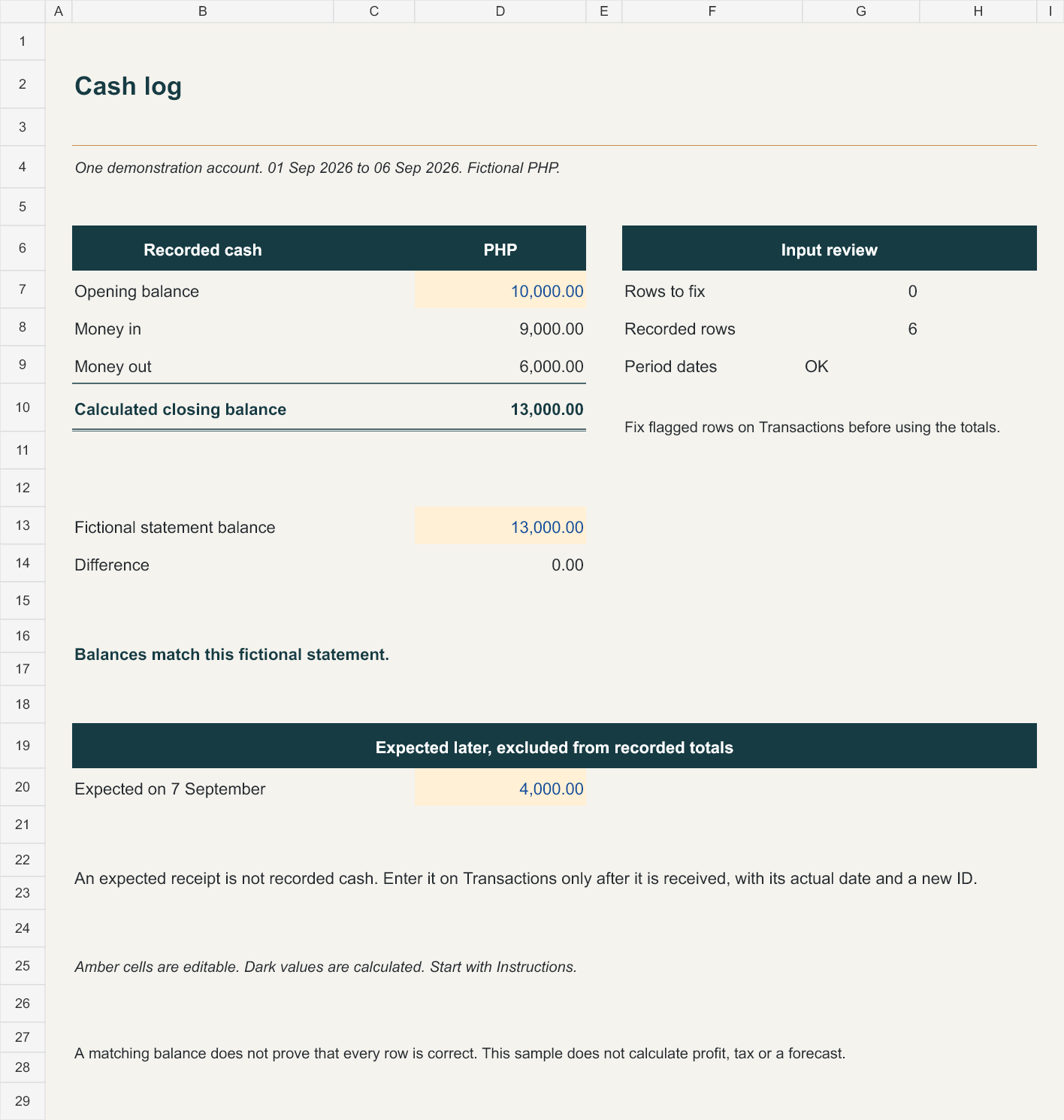
See how six cash movements become one balance. Then change a payment and check the difference in a free Excel practice workbook.
Made-up data. An educational sample you can explore safely.
You don’t need to know every technical term to begin.
About Anz Makes SenseA total that doesn’t look right. A file you’re unsure about. An AI answer you want to check.
See the starting point, the action and the result. The details stay together.
Change one thing. Explain what happened. Ask when a step needs more clarity.
Tell me where you’re stuck, or what you’d like to learn in a future one-on-one tutorial.